I'm not going to pretend otherwise; StreamCam has not received the care it needed for the past two and a half years.
The last update was 1.4.0, back in early 2024. In the time since, the domain moved from Google Domains to Squarespace and finally to Cloudflare, and the website was offline for a few months on top of that. If you came looking for support or news and found nothing, that's on me.
But I'm back on the project, and this time in full force. TL;DR: StreamCam 2.0.0 has a brand new engine and a brand new UI, and I'm working towards some important performance and stability improvements, a lot of which ship with 2.0.
The core of the app hasn't changed. It's still plug & play, it's still wireless, and it's still fair to use for free. With the heavy refactor done, the app is a lot more stable and performant. That comes with a fairly significant price increase, alongside more affordable subscription-based tiers. This is what lets me keep working on the app, and I have a lot of ideas I want to bring: effects, center stage (the camera follows you), chroma and more.
Here's what's changed so far.
the engine
The old StreamCam took every camera frame, turned it into a JPEG and sent it to your browser, many times a second. It worked, but it was wasteful: a lot of data, a lot of work for the phone, and not much room to get faster.
2.0.0 sends actual video. Your iPhone has a hardware video encoder (the one that records your videos) and StreamCam now uses it to stream H.264 or HEVC. Video only sends what changed between frames, so the same picture takes a lot less data over your Wi-Fi.
That's what makes the big numbers possible: up to 4K and up to 120 fps. Not every iPhone can do that, so StreamCam only offers the sizes and frame rates your camera can really capture.
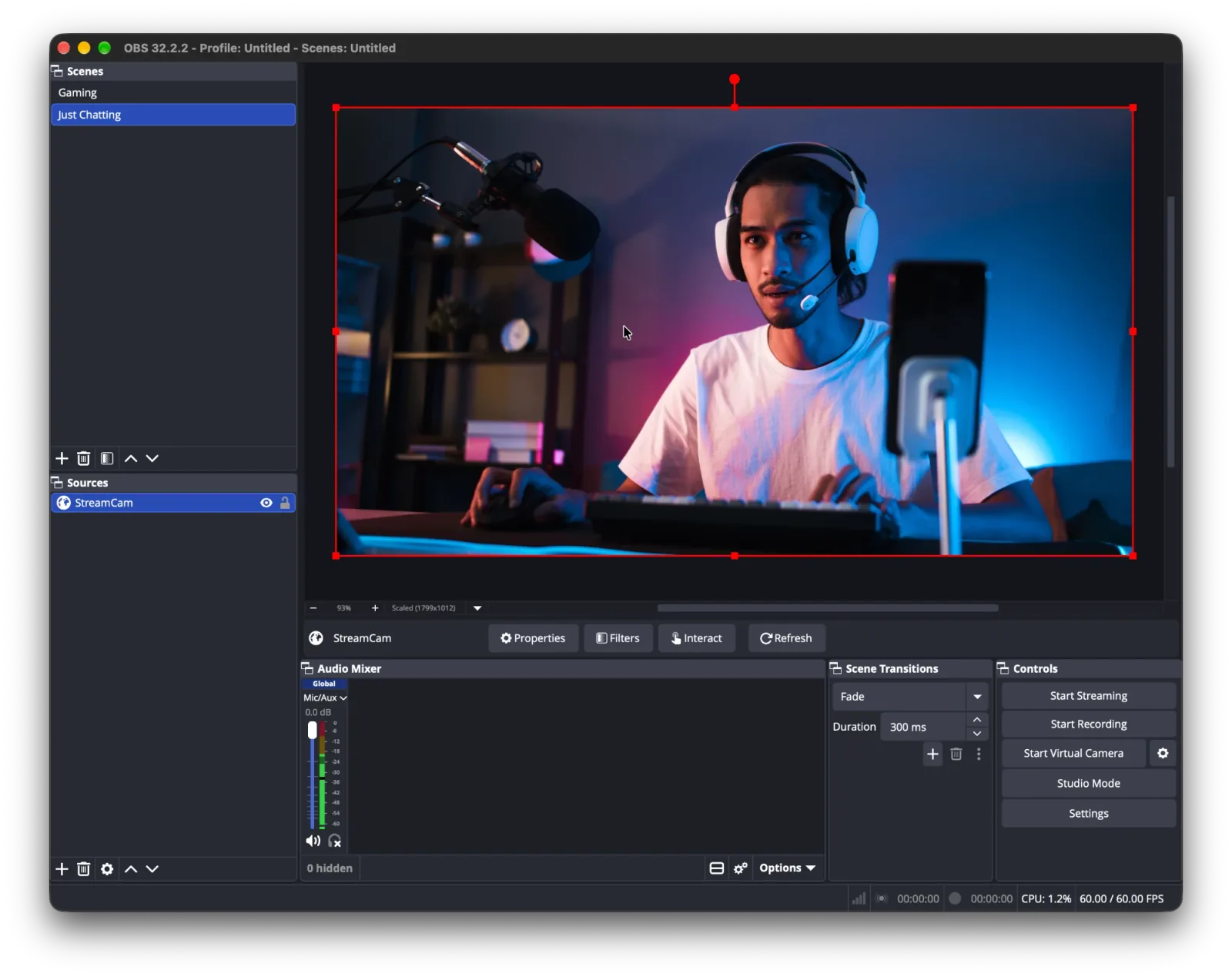
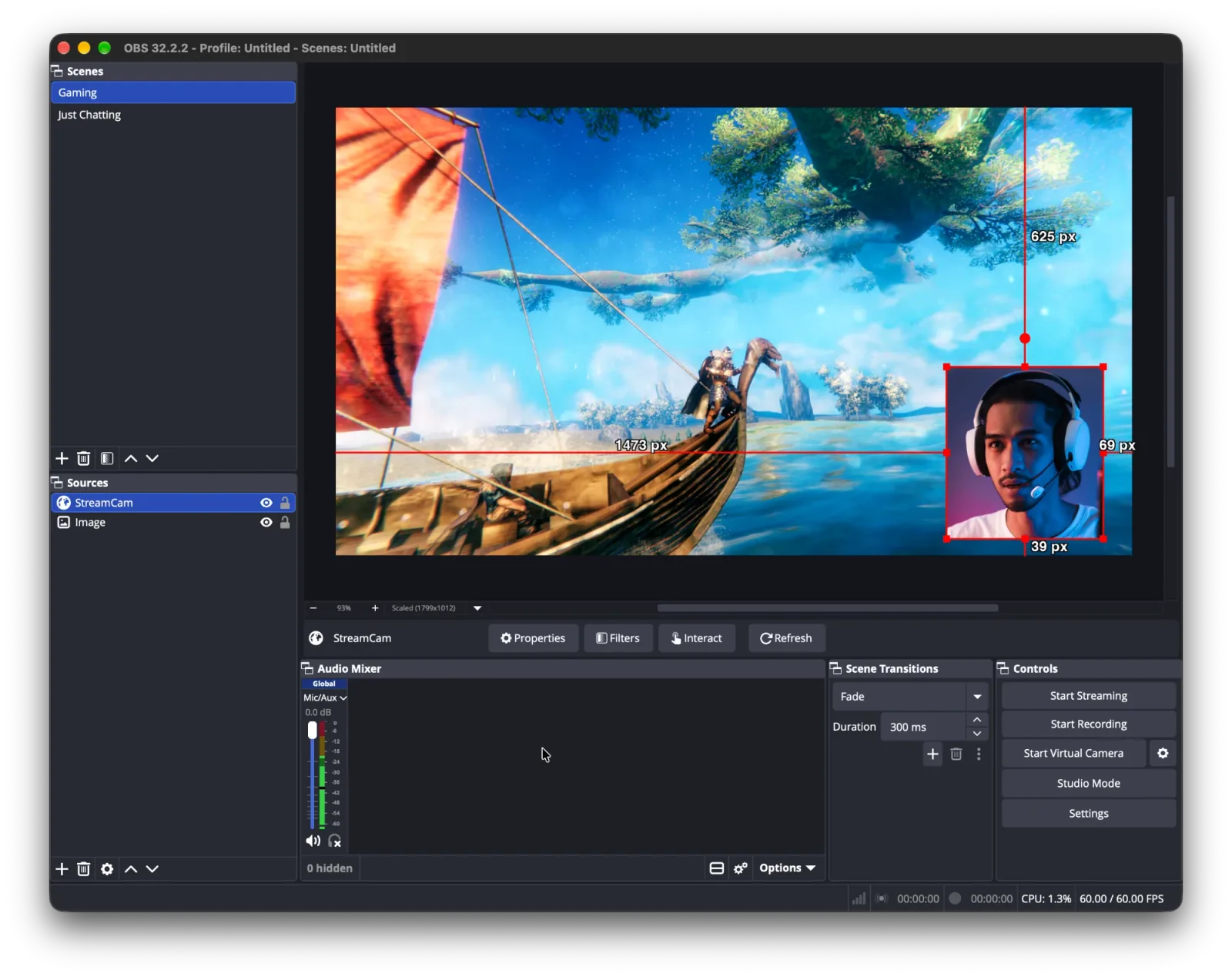
Your computer still doesn't need anything installed. OBS (or any browser) opens the address the app shows you, and a small player built into the app does the rest. The video goes from your phone to your computer over your own Wi-Fi. There's no StreamCam server in the middle and no account to make.
the app
I wanted the new app to feel like a camera monitor with proper streaming controls. The preview is front and centre, a red border glows while you're live, and a small readout shows what's going out: size, bitrate, connected browsers and codec. Tap it for more detail, including a live bitrate graph.
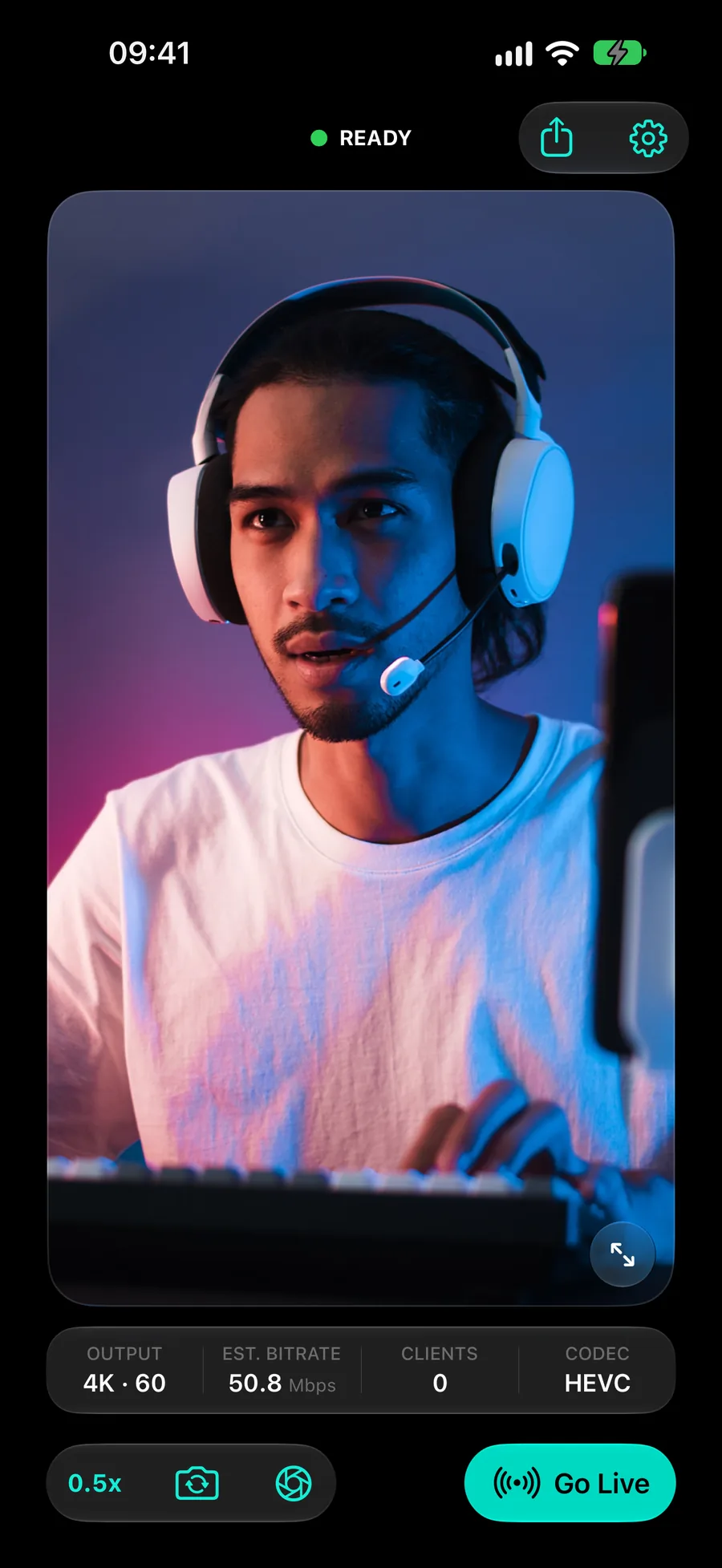
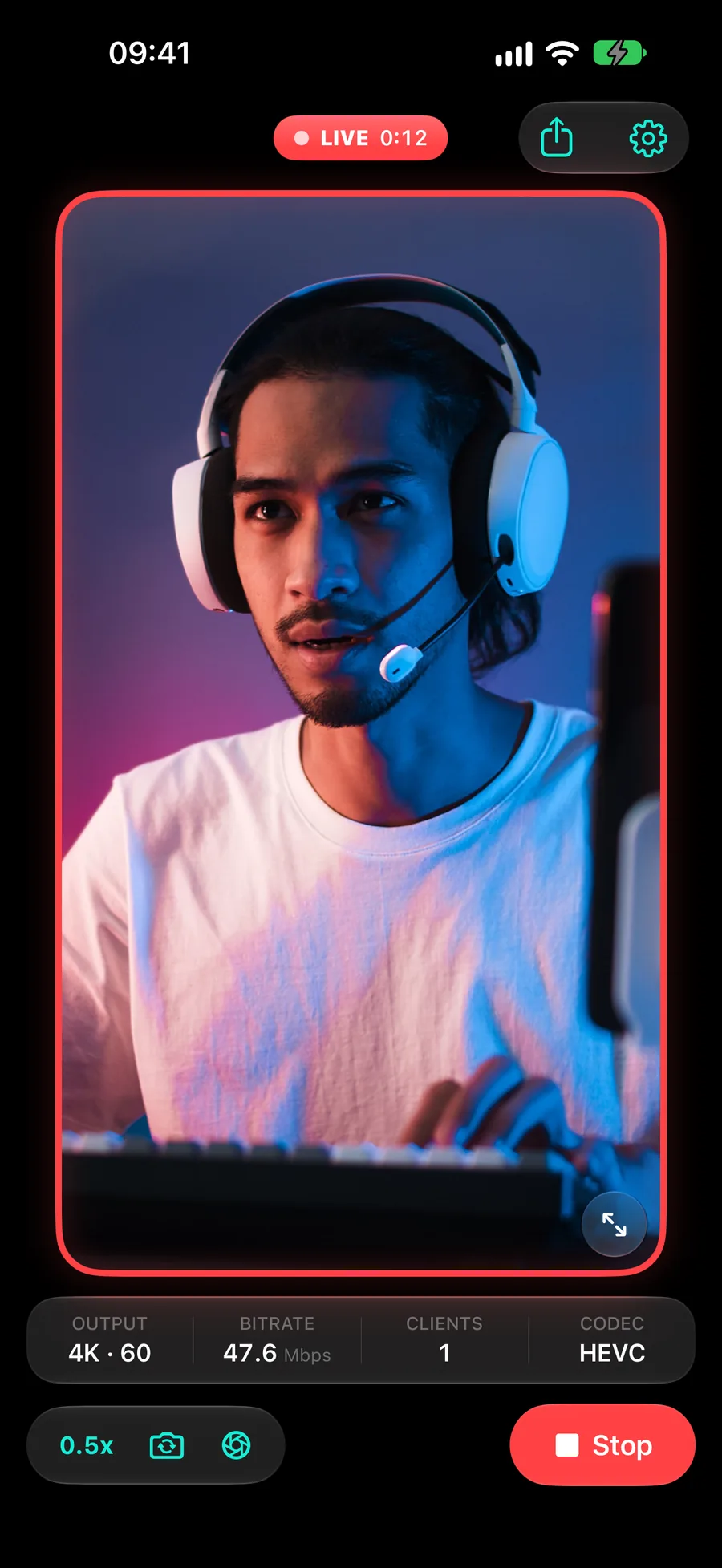
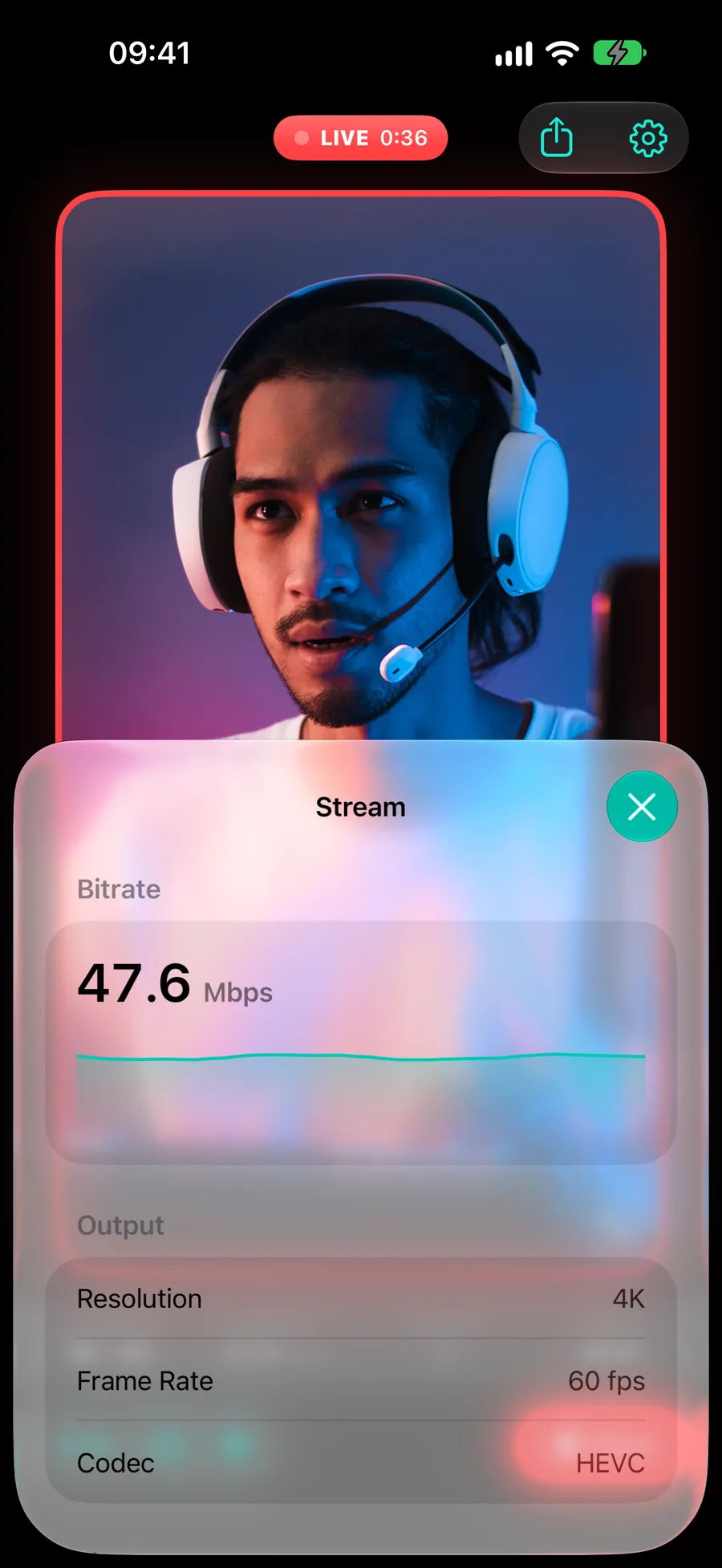
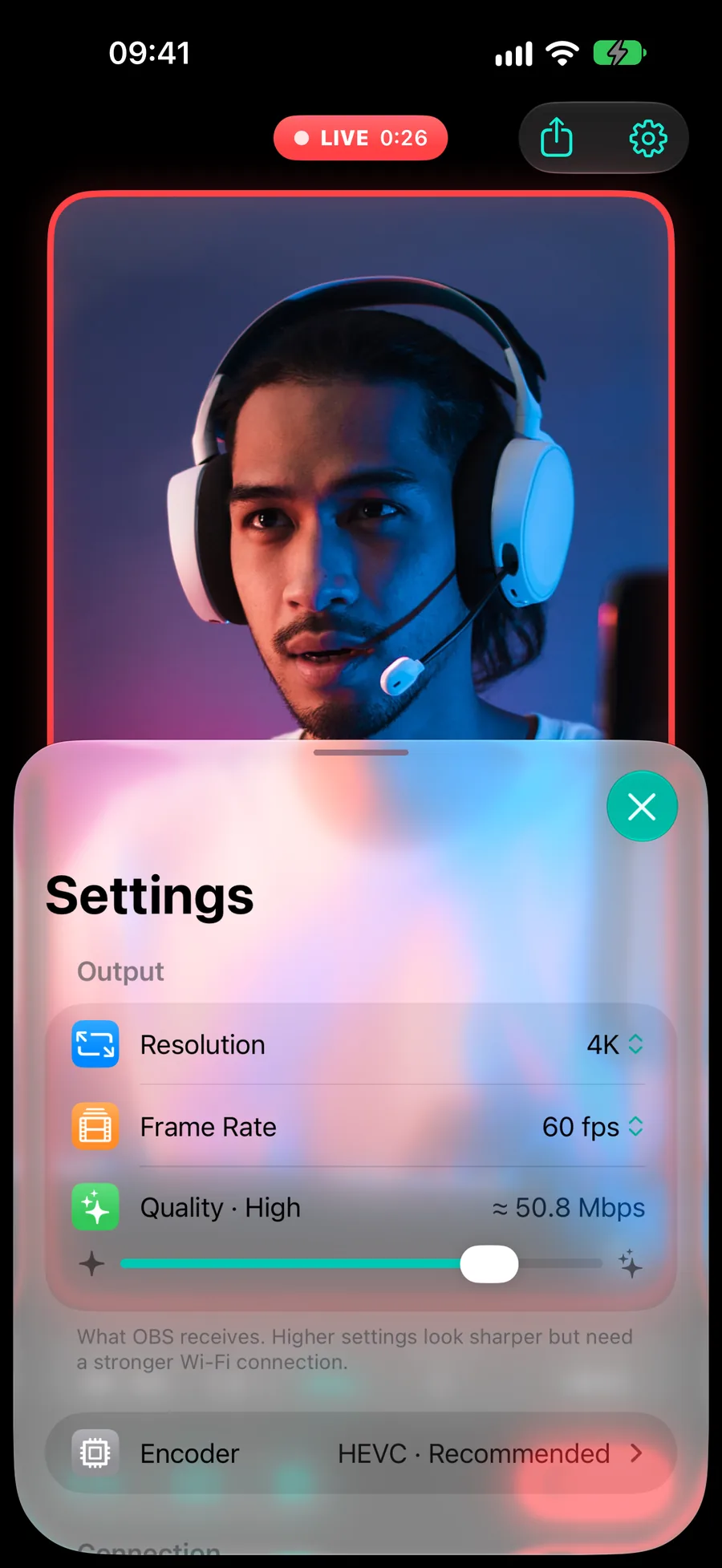
Camera controls live right on the preview now: switch lenses, flip front/back, mirror, tap to focus. Settings got a redo too. You pick resolution, frame rate and quality, and it shows roughly how much bandwidth that will take before you commit. Pro adds an Advanced section for tuning the encoder.
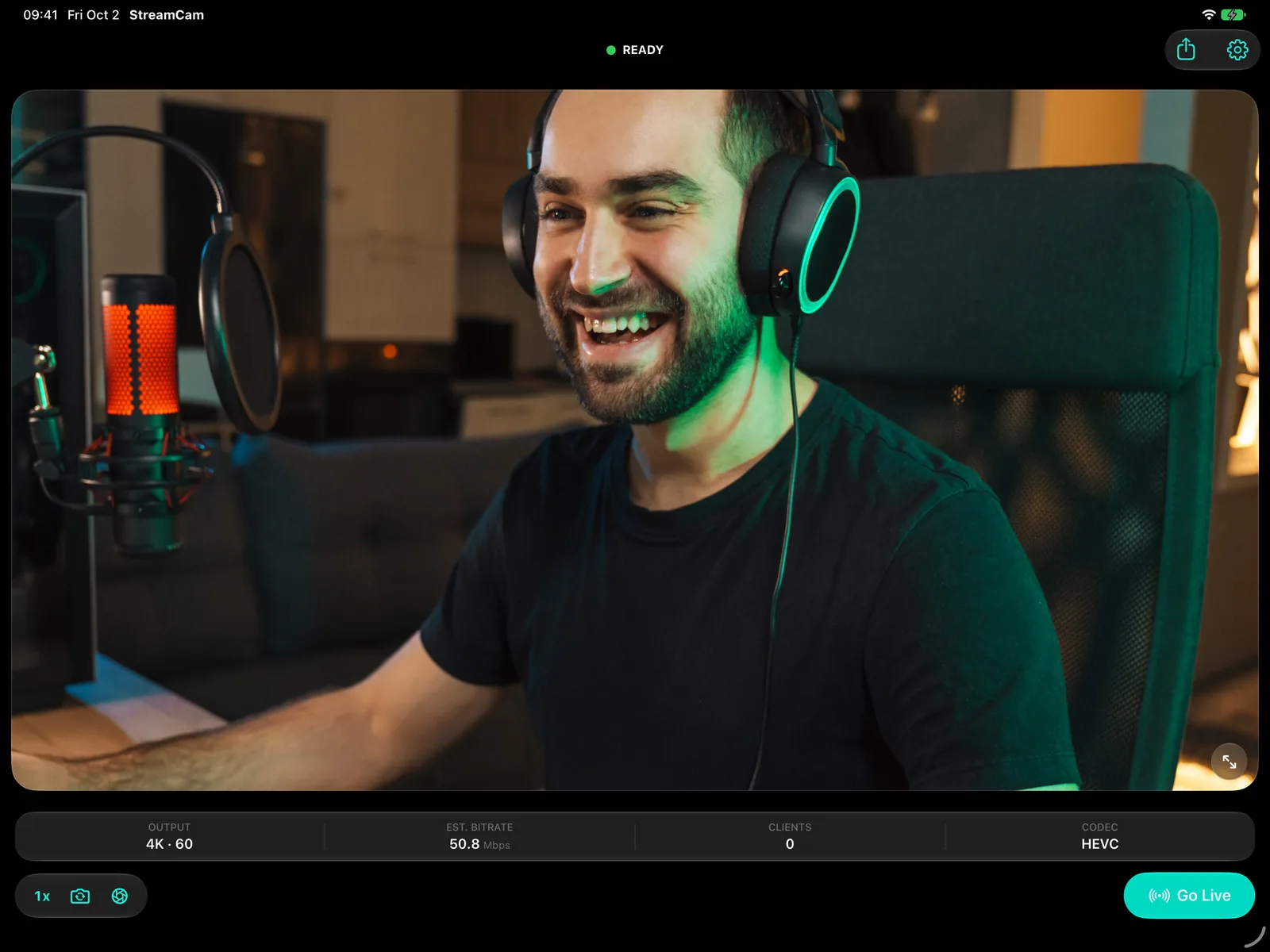
iPad finally gets its own layout, and both iPhone and iPad work in any orientation. Rotate the device and the stream follows.
If you're coming from 1.4.0, your settings move over on their own. Bought Pro back then? You keep it.
Pricing is changing, and I'd rather say so up front. The old three "pay what you want" tiers are gone. Pro goes up in price, and there are new subscription tiers that are more affordable if you'd rather not pay in one go. Free stays free and stays useful: you can go live at 720p. Pro opens up 1080p, 1440p and 4K, 60 and 120 fps, the full quality range, the encoder settings, and more connected clients and devices. I'll share the exact pricing closer to release.
measuring the lag (properly this time)
I kept telling myself it "felt fast". That's not a measurement, so I built a latency lab.
Your browser flashes a patch black and white at random. The phone films it and streams it back to the same page, and the page times how long each flash takes to reappear. Your screen's own delay ends up on both sides of the measurement and cancels out, so no special gear is needed.
It's already paid off. It caught a player tweak that cut a decent amount of delay, and it showed me where 4K spends its extra time. The upshot: your stream lands in OBS in the blink of an eye. I'll publish real numbers once I'm confident in them.
the website
The old site was basically a placeholder, so it got rebuilt too. Instead of just telling you how it works, it lets you try it: drag a slider to compare 720p and 4K, watch three frame rates side by side, clap and see it land in a fake OBS, switch camera angles mid-"stream". Support and privacy are rewritten in plain English. And there's this updates page, with an RSS feed.
so, when?
2.0.0 is in its last round of testing on real devices. It needs iOS 26 or newer. Once it's on the App Store, you'll hear about it here first.
If you stuck with StreamCam while it was quiet, thank you. If you're new, welcome. Either way, come hang out on Discord or email [email protected]. It's just me building this.
It's good to be back.