StreamCam 2.3.0 is out. Your stream now plays in more places than a browser source, and StreamCam walks you through setting up each one.
media source and rtsp
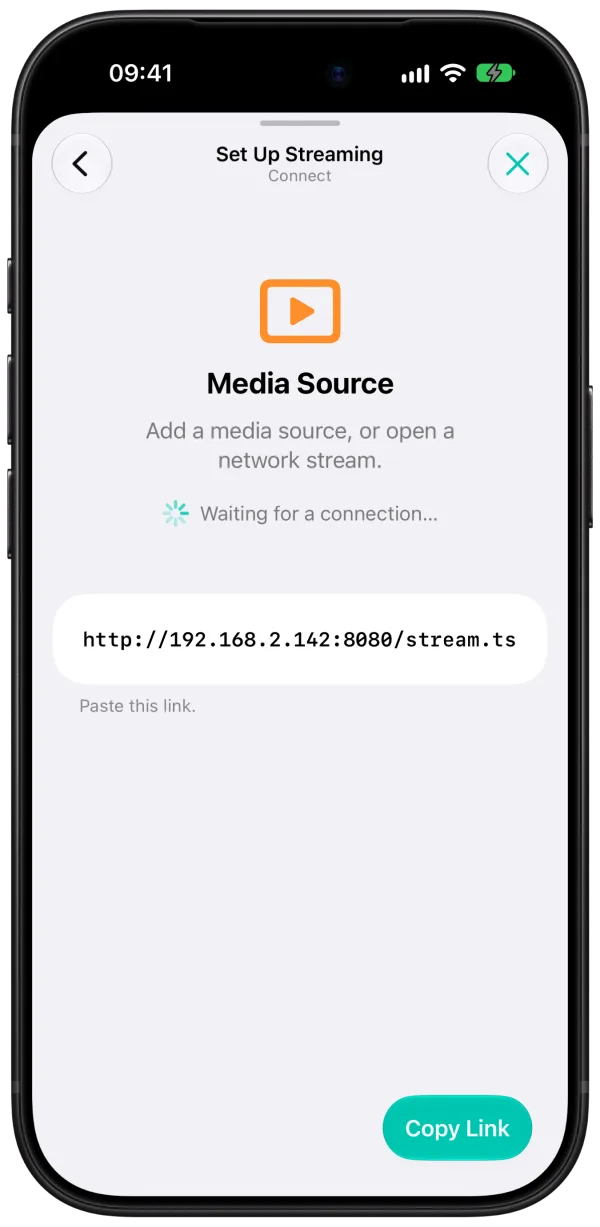
The web page is still there for OBS's Browser Source. Next to it, Media Source gives you a link for OBS's Media Source, VLC and other players, and RTSP gives you one for security camera and home automation apps.
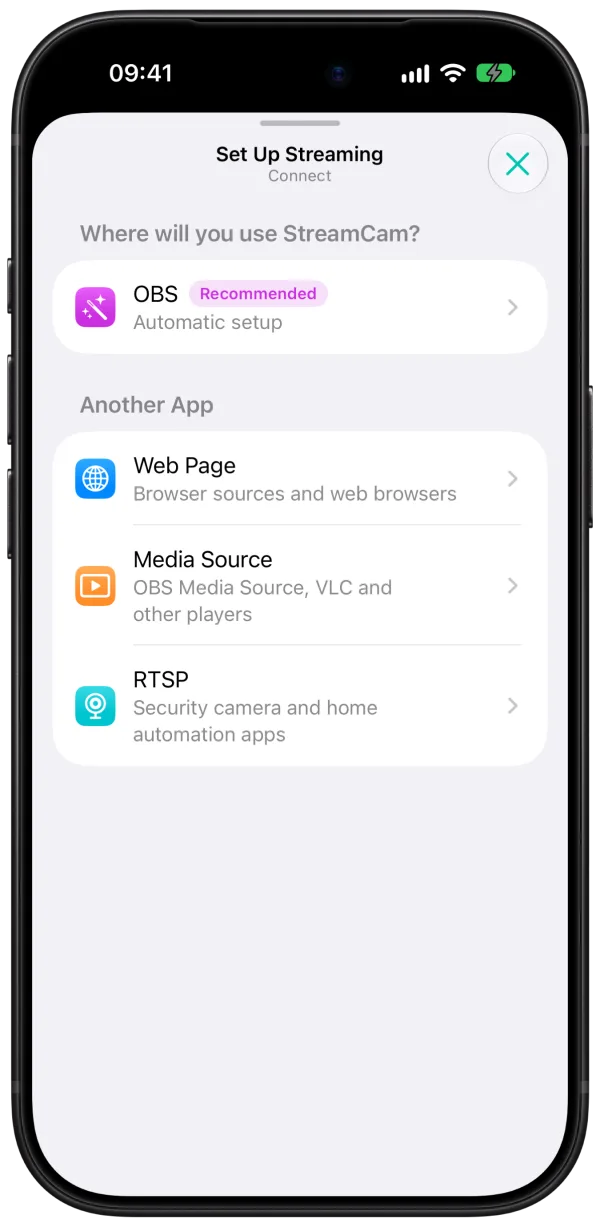
All three links work whenever StreamCam is open. If another app on your phone is already using the RTSP port, StreamCam tells you and lets you pick another one in Settings › Connection › RTSP, and the other two links keep working.
set up streaming
Tap Set Up Streaming and pick where you'll use StreamCam. Choose OBS, scan the QR code OBS shows you, and StreamCam shows exactly what it's about to add before adding itself as a source in the scene you pick. Nothing else in OBS changes.
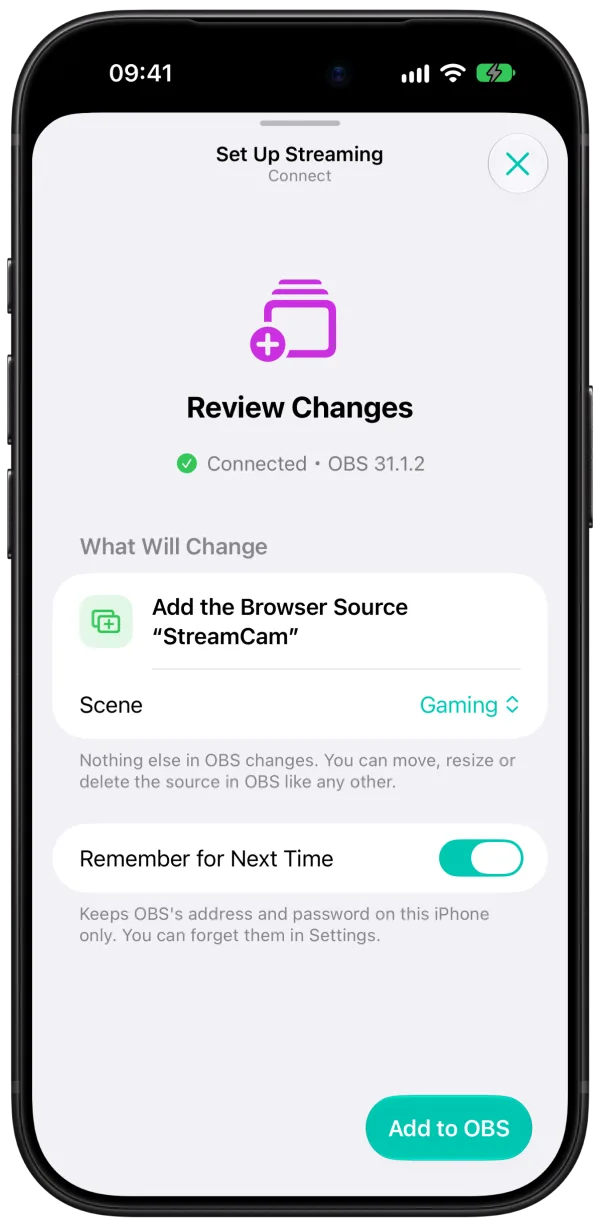
Leave Remember for Next Time on and StreamCam checks its source each time you go live, so you hear about it if OBS needs updating.
Using something else? Pick Web Page, Media Source or RTSP and you get a link ready to paste.
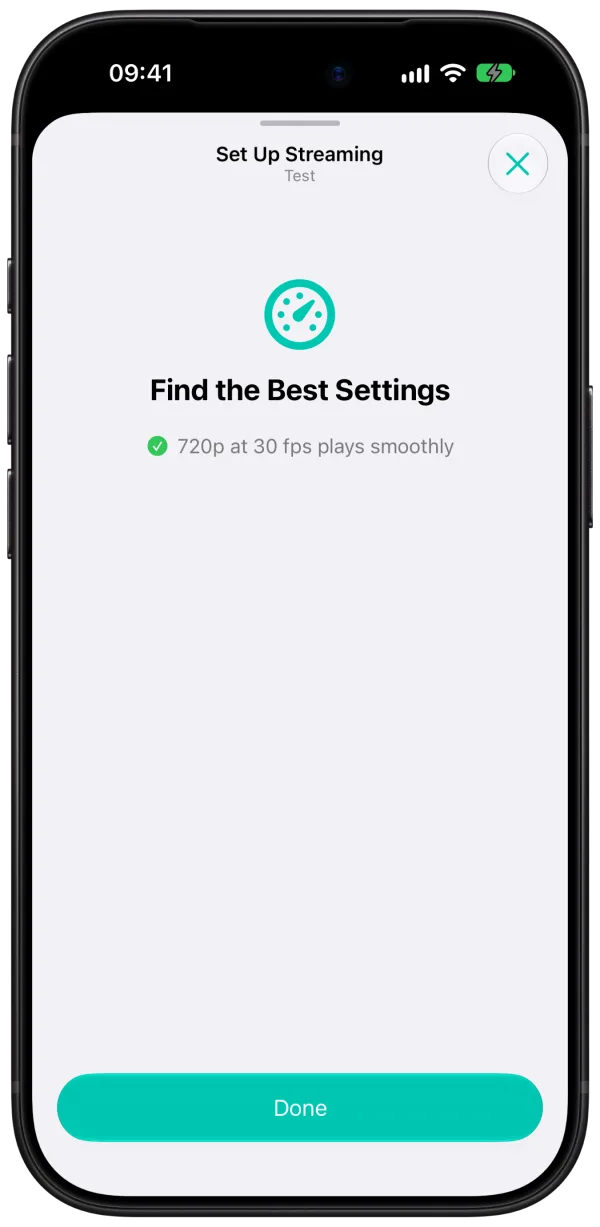
Once you're connected, a quick test plays a few settings over your actual connection and keeps the sharpest picture that stays smooth. No more guessing which resolution your Wi-Fi can handle.
stream health
While you're live, StreamCam watches how your stream is doing, and turns the quality down by itself if your app starts to struggle. If nothing is receiving your stream, the top of the screen says No Client. Your Apple Watch now taps you for more kinds of problems.
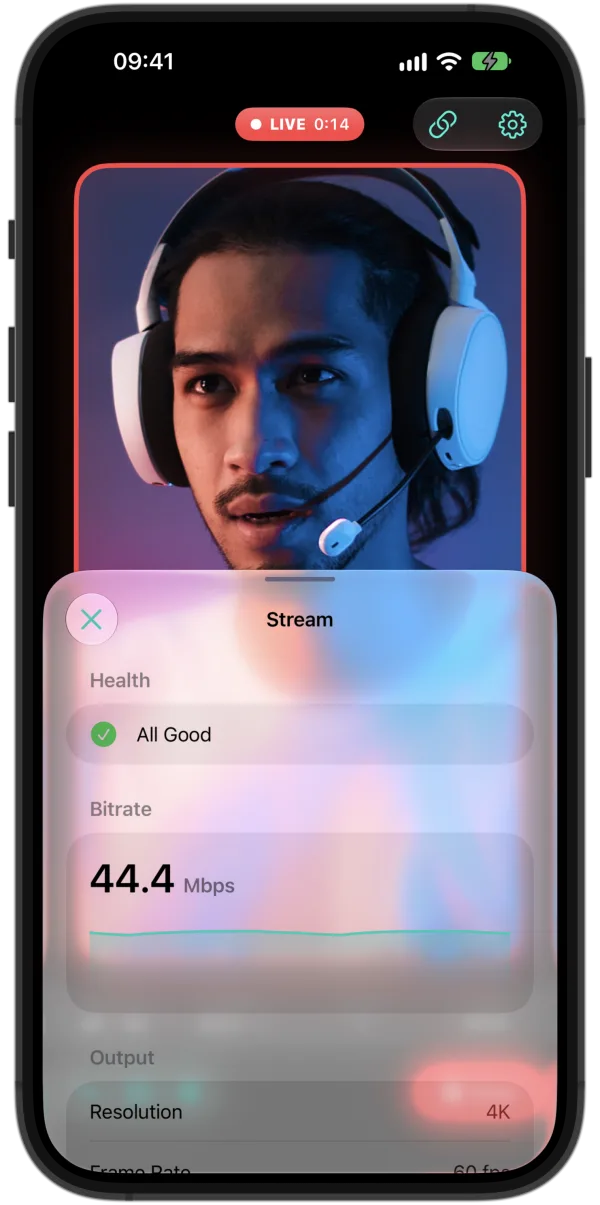
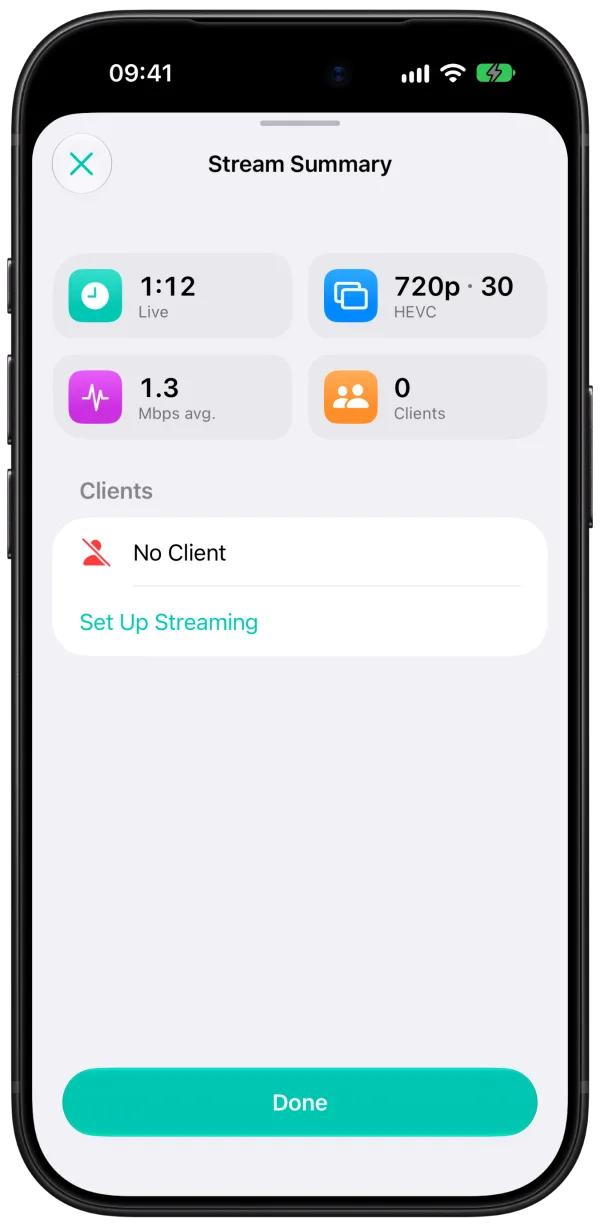
When a stream of a minute or more runs into trouble, the stream summary lists what happened, each with a button that fixes it: Set Up Streaming when nothing connected, Review OBS Source when the OBS source is out of date, Change RTSP Port when the port was taken, and Find the Best Settings when playback struggled.
personal hotspot
No Wi-Fi around? Connect your computer to your phone's Personal Hotspot, or plug in a cable, and stream like you would at home.
new design
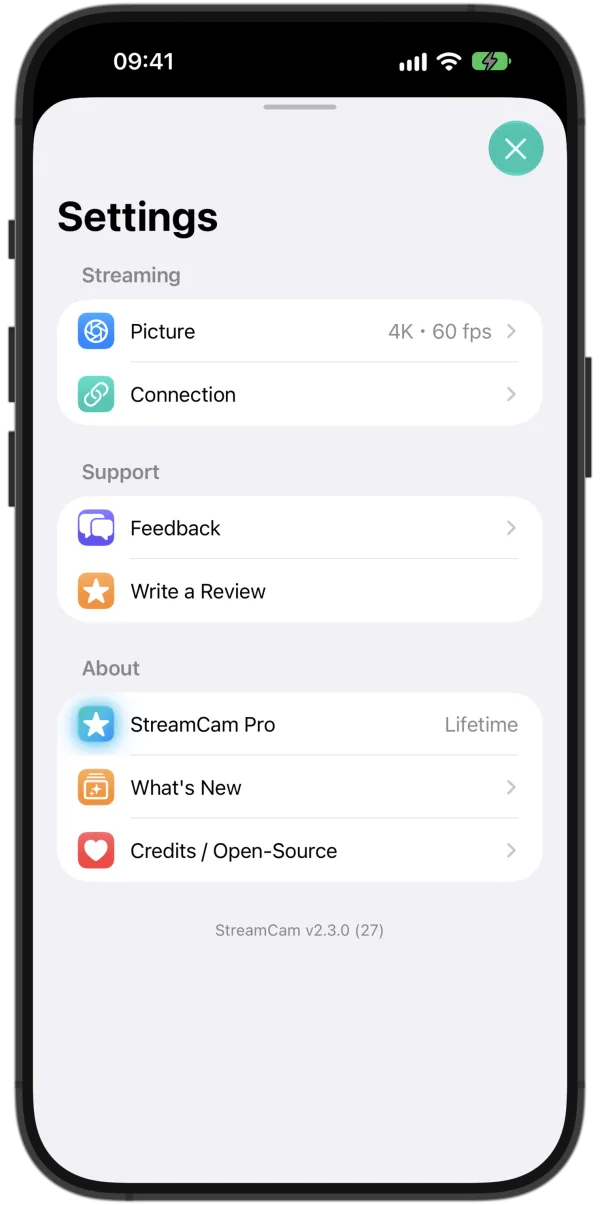
Settings are regrouped into Picture and Connection, so everything is a tap or two away, and they open at full height on iPhone. On iPad, the sidebar stays put, and with Pro, StreamCam Pro gets its own pane. The encoder starts from new recommended values, and saved encoder tuning goes back to them once with this update. Your codec stays as it is.
going pro
When you get Pro, StreamCam switches to the best settings your connection test found, or the highest your camera offers, and celebrates with a little animation. Feel like seeing it again? Free dopamine, on the StreamCam Pro page.
the docs
There's now a full guide at streamcam.app/docs, with pictures: setting up, every stream setting, the Apple Watch app, and what to do when something doesn't connect.
download now
2.3.0 is on the App Store now. Something not set up the way you expected? Write to [email protected] or find me on Discord.